Problem statement
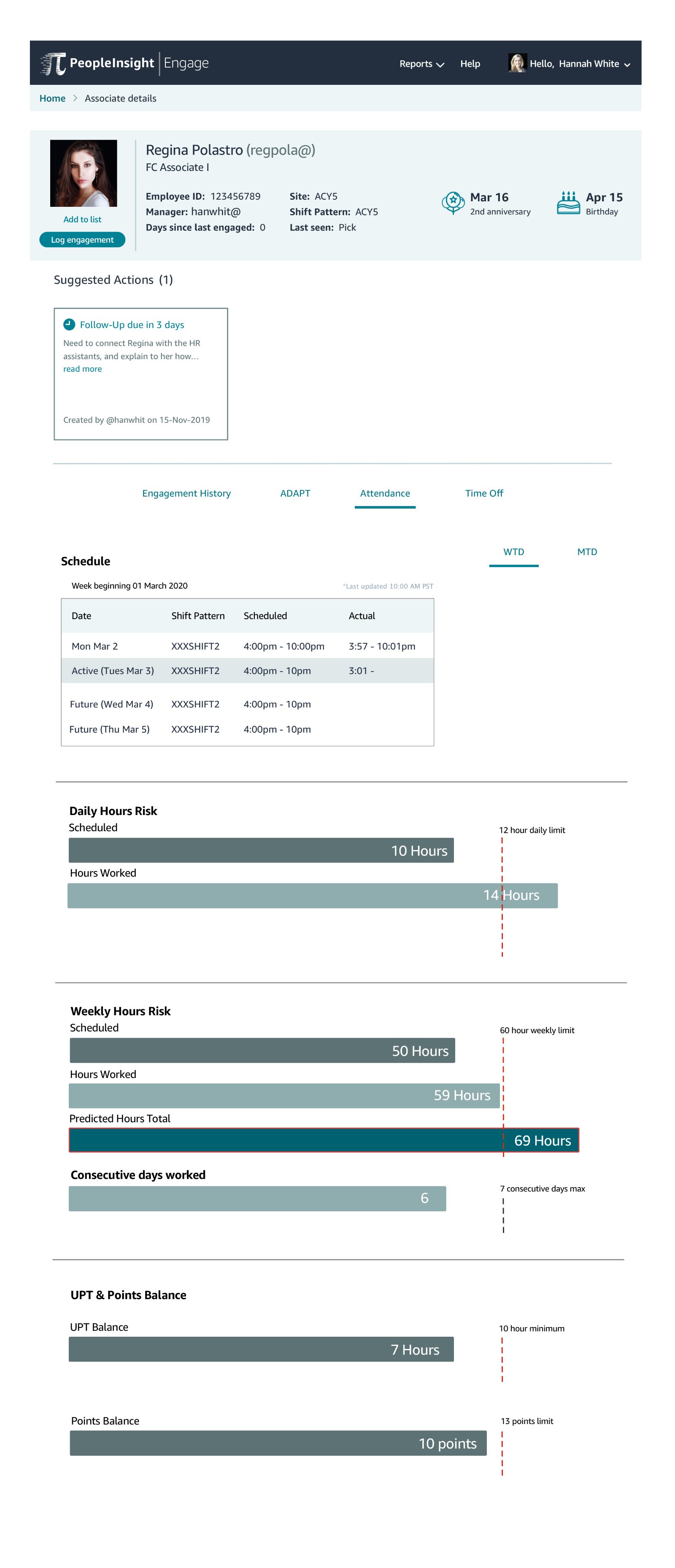
It is important for operational and HR managers to ensure associates are not exceeding their daily or weekly hours. However, managers encounter schedule risks on a daily basis with associates being on premise when they shouldn’t be or associates staying past their schedule shift. When this occurs, managers have to locate these associates and remind them about their schedule. With so much already on their plate, this can be a difficult and time consuming process.
How might Engage streamline pertinent information to our users related to schedule risks?
User stories
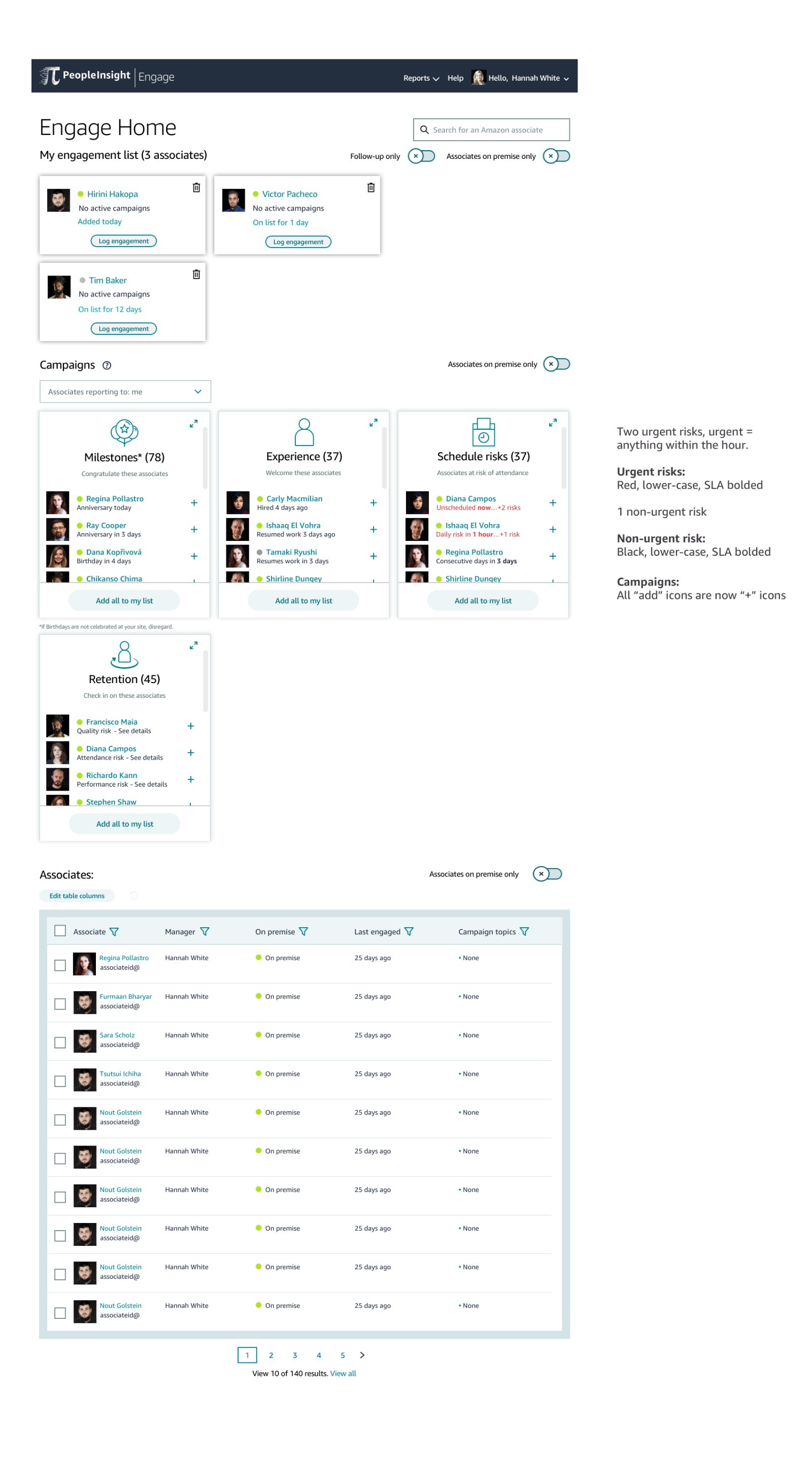
As an employee manager, I would like to differentiate employees who I have already engaged with for scheduled audits campaign, but who are still on premise and are close to breaching SLA so that I can decide if I need to engage with them again.
As an Employee manager, I would like to differentiate employees who are on premise and have breached the SLA, so that I can decide if I need to engage with these employees immediately aka walk them out of the building.
Initial concepts
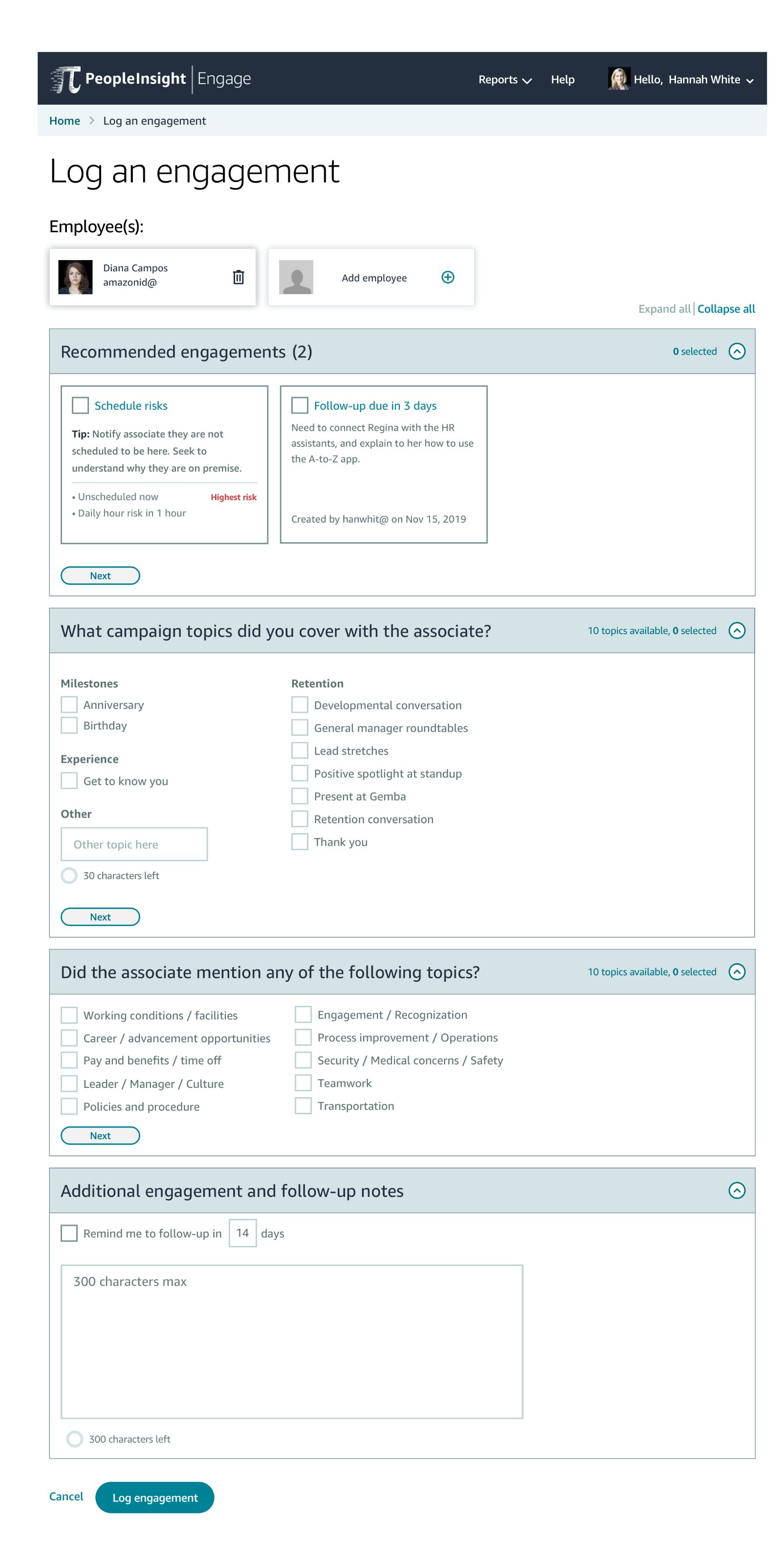
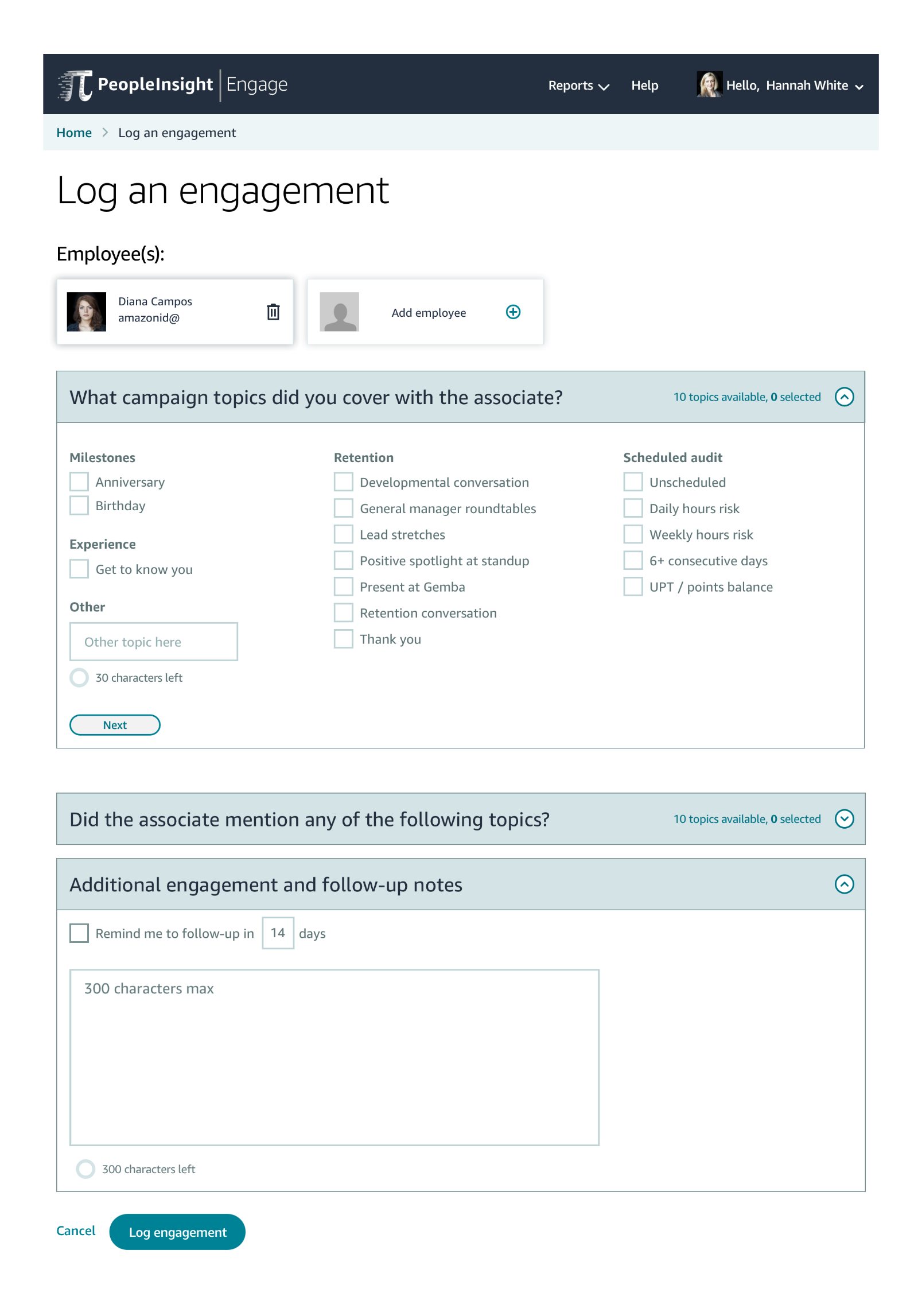
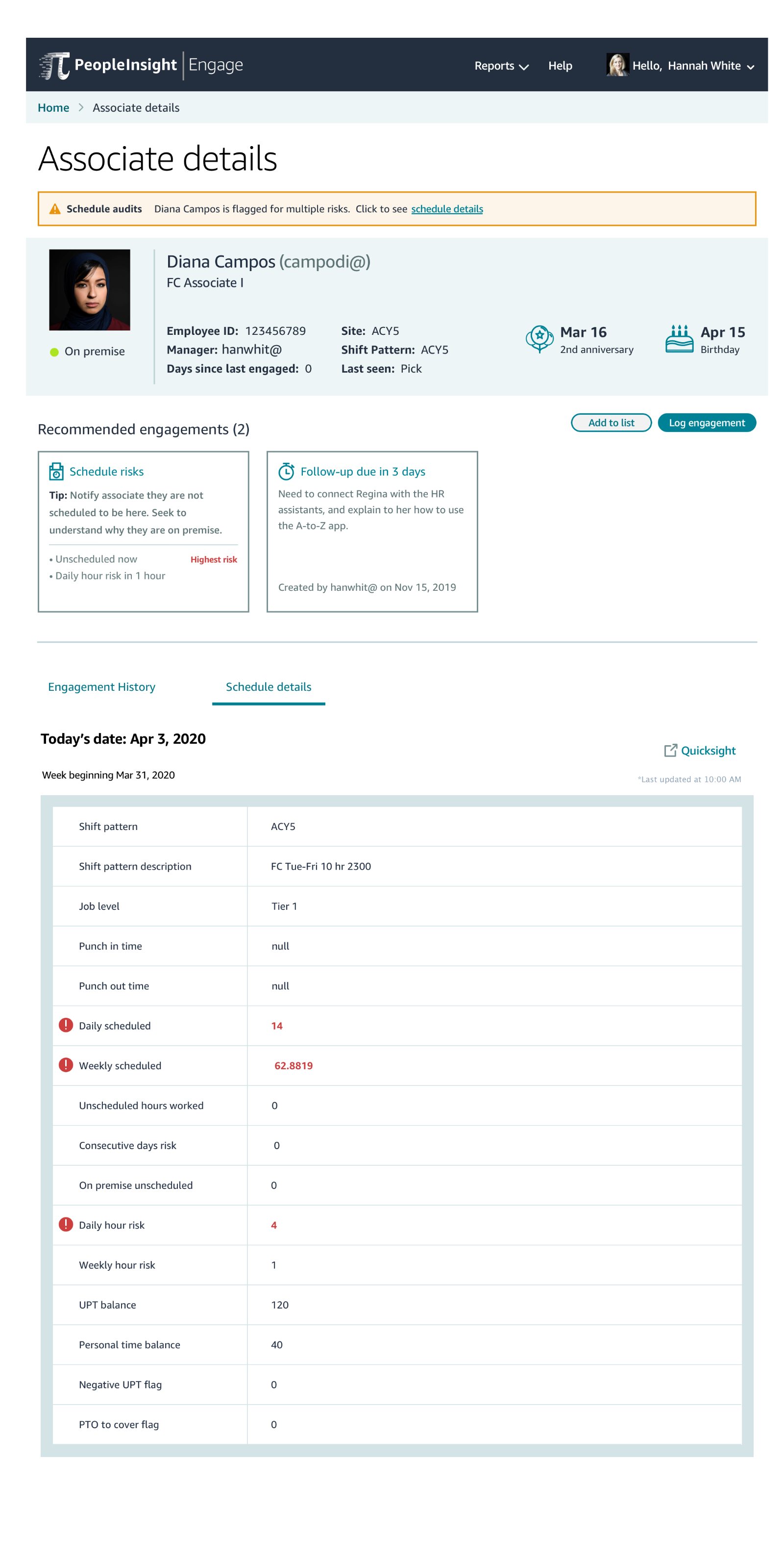
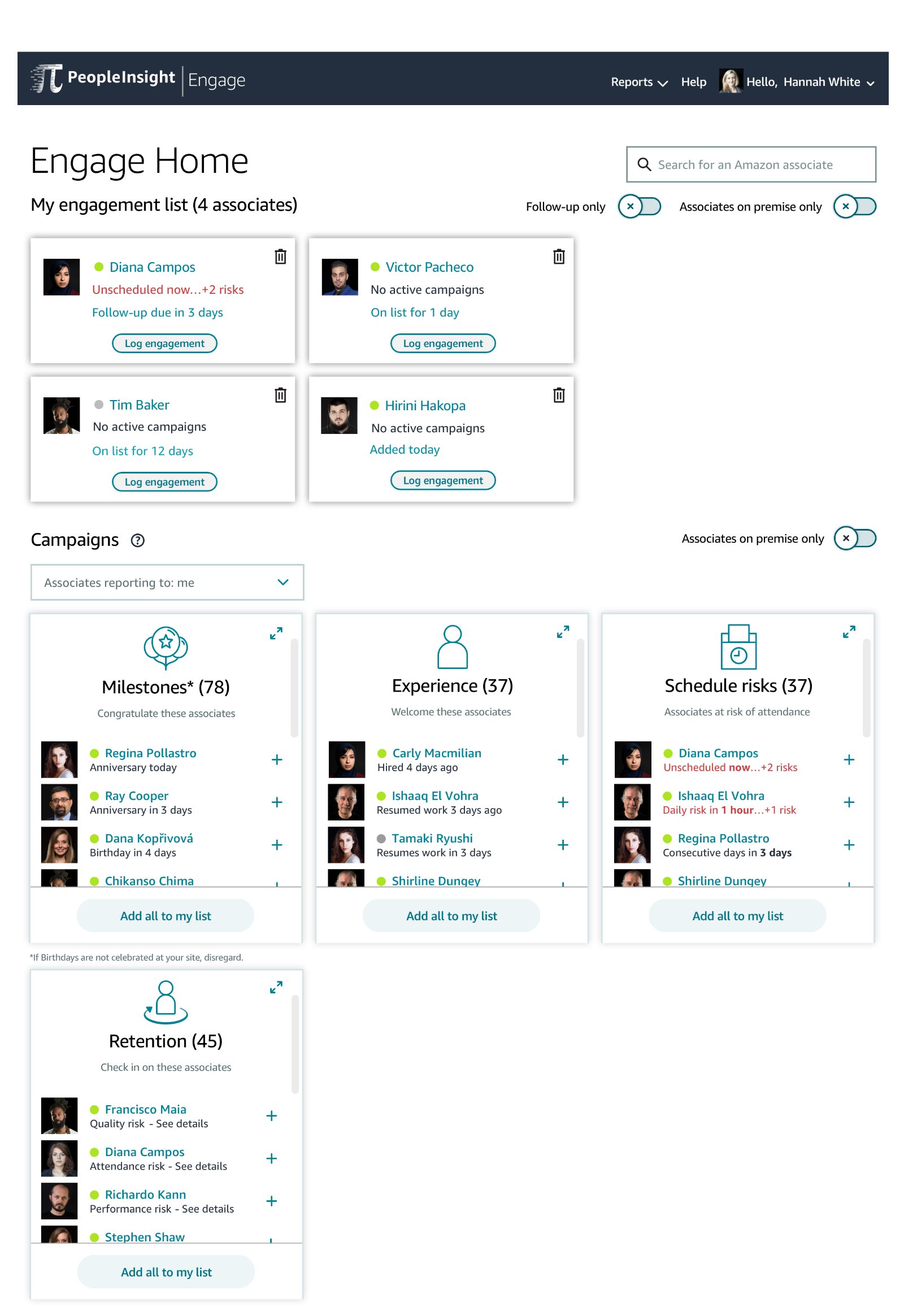
Using data from previous research I completed on schedule risks, I designed some initial concepts of how this campaign can be implemented in the Engage platform. This involves ideation on existing pages: the campaign widgets, associate details table, employee details page, and the log engagement form. Although non-existent at the time, I also considered implementing the notification experience.
User research + user testing
With two weeks to conduct research, I decided to run the study in two parts. The first half of the research focused on generative research: gaining a better understanding of how users currently tackle schedule risks without Engage. With these set of questions completed, I would then start the second half of the research by focusing on testing the initial concepts I designed through user testing alongside a Think Aloud protocol.
Design iterations (RITE method)
While I was running the research study, I continued to iterate on my designs using the RITE method. One finding: users do not need all of the details on the homepage but would prefer to be able to be linked to a page with more details, such as the associate details page.
“I would only click on the detail level if I needed to get more information or deep dive. I don’t need to see all of this information on the front page but if I could click to it that would be useful.”
Hand-off + bug bash
After analyzing all of the data and iterating designs to reflect users’ thoughts, I presented my findings to the engineering and product managers. After signing off on all of the requirements and user’s needs, I completed specs for hand-off. Once a beta version was ready, I led the UX bug bash to ensure everything matched my designs and worked with QA to fix any potential bugs.